Compare To-do List and TimeOWare: Which Extension is the Best?
To-do List is lightweight, fast, and focused on the basics like quick add, due dates, and reminders. Great for simple workflows, but power users may miss some features. | TimeOWare helps you track and manage your online time easily. With its simple design and easy website blocking, TimeOWare is a valuable tool for enhancing digital well-being. | |
| Key Features A summary of the most important features offered by each extension. |
|
|
| Our Rating Tooltivity's expert review score for each extension, based on hands-on testing and research. | 8.7 Winner in this category | 8.5 |
| Total users Total active users across all major browsers: Chrome, Edge, Firefox, and Safari. | 20,000 Winner in this category | 269 |
| Total ratings Total number of user ratings received across all supported browsers. | 126 Winner in this category | 3 |
| Average rating Average user rating across all browsers, calculated from available store ratings. | 4.8 ⭐ | 5.0 ⭐ Winner in this category |
| Entry Level Price The minimum price required to start using the extension. "Free" means a free tier is available. | Free | Free |
| Chrome User rating and stats for the extension on Chrome browser. |  4.8 4.76 Average Chrome Web Store rating from the last 100 reviews 20.0K+Users | 5.0 5.0 Average Chrome Web Store rating from the last 100 reviews 269Users Winner in this category |
| Edge User rating and stats for the extension on Edge browser. | - | - |
| Firefox User rating and stats for the extension on Firefox browser. | - | - |
| Safari User rating and stats for the extension on Safari browser. | - | - |
| Features Tooltivity's expert score for the 'Features' aspect of each extension. | 8.0 We like that it nails the essentials without pretending to do everything. You can capture tasks quickly, organize with simple lists or tags, add due dates and reminders, and attach short notes to keep context. It also syncs and works offline when needed. The flipside is clear: there are no advanced filters, templates, or automations, and integrations are minimal. If “fast basics” is your goal, it succeeds. Winner in this category | 7.0 TimeOWare offers basic functions for checking the time spent on websites. These include time recording on websites, where the percentage of total time taken up by each website is displayed directly in real-time in a statistic. 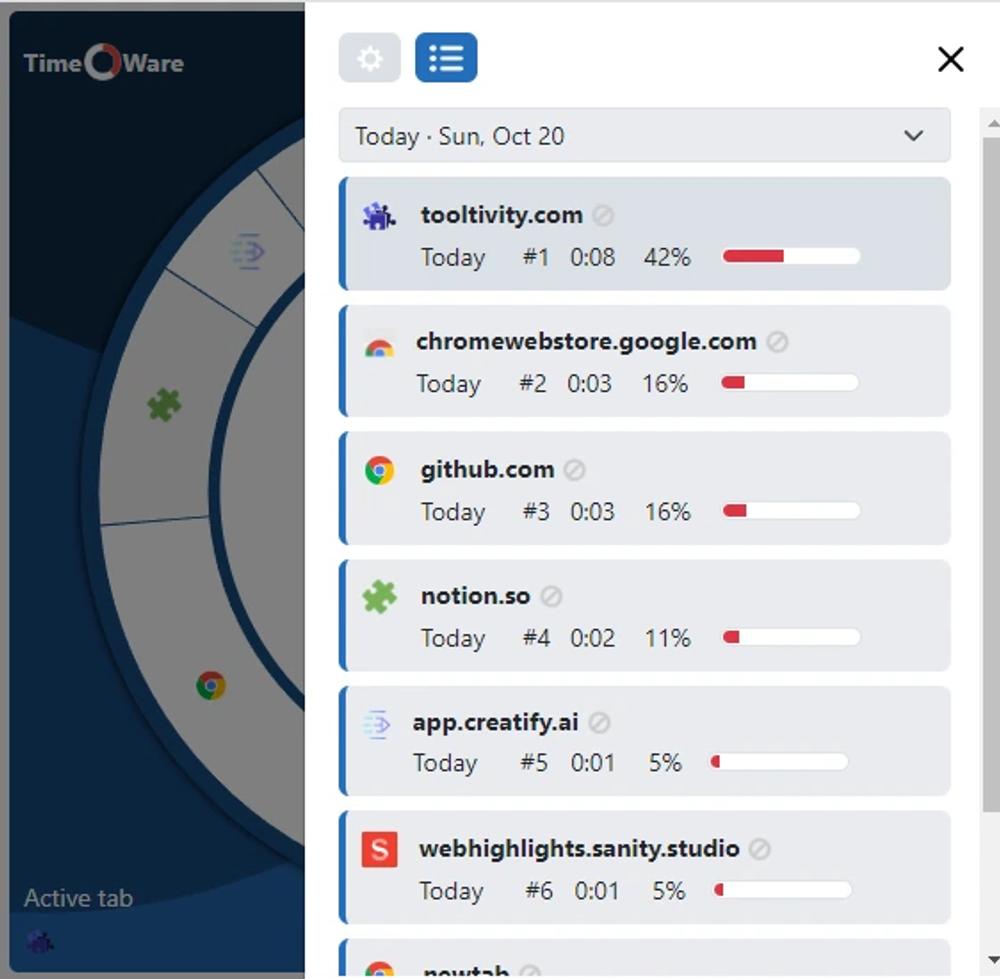 Another feature is the blocking of websites. Websites can easily be blocked manually if you think that you no longer want to use this website. Here we would like to see the manual blocking of websites. 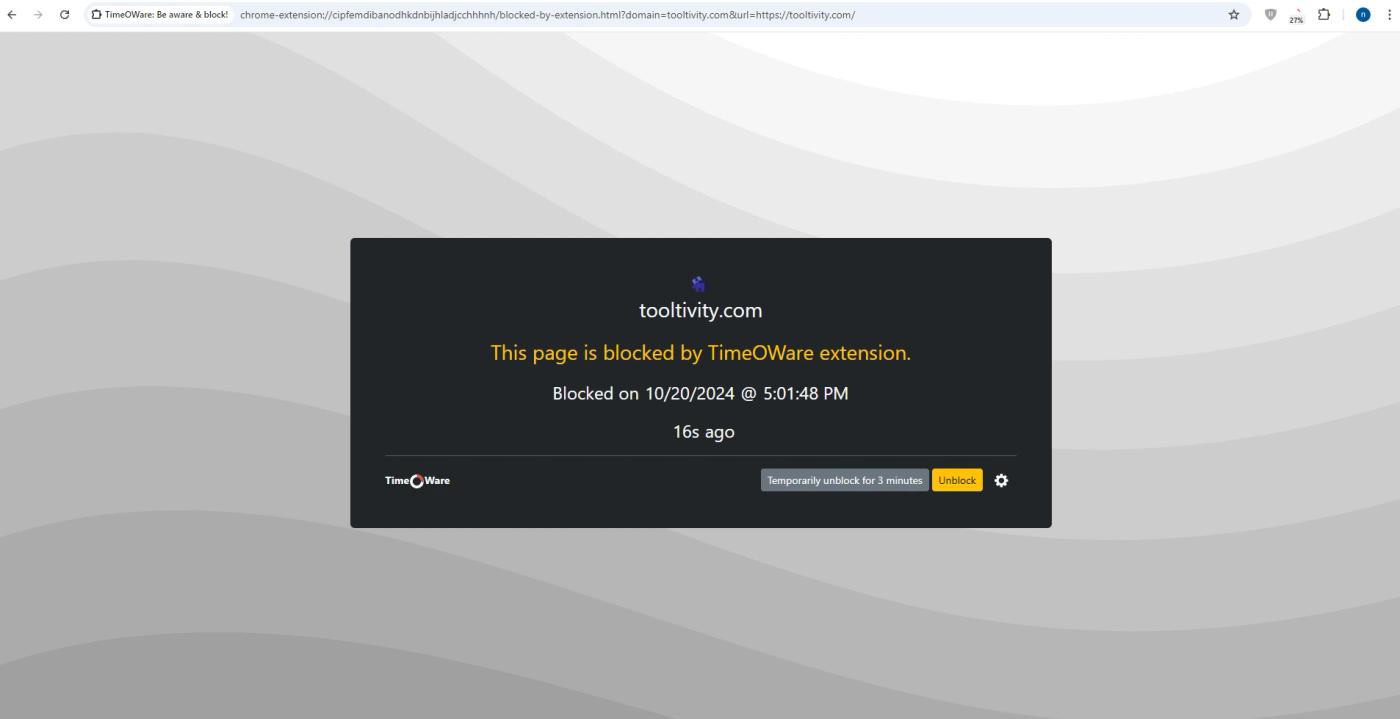 However, it lacks advanced features such as detailed analytics or customizable alerts that some users may find useful. Nevertheless, the core features are well implemented and serve the main purpose of improving digital well-being. |
| Performance Tooltivity's expert score for the 'Performance' aspect of each extension. | 8.8 It feels instant, which matters more than people admit. The pop-up opens quickly, typing and checking off tasks are immediate, and sync behaves reliably across sessions without hogging memory or slowing other tabs. Staying fast keeps you in flow—and that’s the real performance test for a to‑do tool. We never felt it getting in our way. | 9.0 TimeOWare works reliably, with no noticeable slowdowns or performance issues during use. Winner in this category |
| Design Tooltivity's expert score for the 'Design' aspect of each extension. | 8.2 The interface is clean, calm, and focused on the list. We noticed readable typography, sensible spacing, and a clear hierarchy that keeps controls out of the way. Keyboard navigation works well, and the UI feels snappy in both pop-up and full view. The minimalist approach avoids visual clutter without feeling bare. It looks and feels like a tool designed for momentum. Winner in this category | 7.5 The design of TimeOWare is clear and intuitive, making it easy to find your way around immediately. All available functions can be used directly. The minimalist interface ensures that users are clearly shown which websites may pose problems for their digital well-being. In our tests, however, we found that there could be a little more customization options to adapt the displays to our own needs. |
| Value for Money Tooltivity's expert score for the 'Value for Money' aspect of each extension. | 9.0 As a free, lightweight checklist, it delivers real everyday value. There is a ceiling for power users, who may still want a pro task manager as needs grow. But as a companion list that stays out of your way, it punches above its (free) weight Winner in this category | 9.0 As a completely free tool, TimeOWare offers excellent value for money as it provides essential time management features at no cost whatsoever. Winner in this category |
| Ease of Use Tooltivity's expert score for the 'Ease of Use' aspect of each extension. | 9.2 This is a tool you understand in a minute. We didn’t need a tour—adding, editing, reordering, and completing tasks are all immediately discoverable, and the few shortcuts are easy to remember. The daily flow of capture → prioritize → complete is frictionless, and it’s forgiving when you make quick edits or misclicks. If you value speed over setup, it shines. Winner in this category | 8.5 TimeOWare is easy to use, with little set-up time. 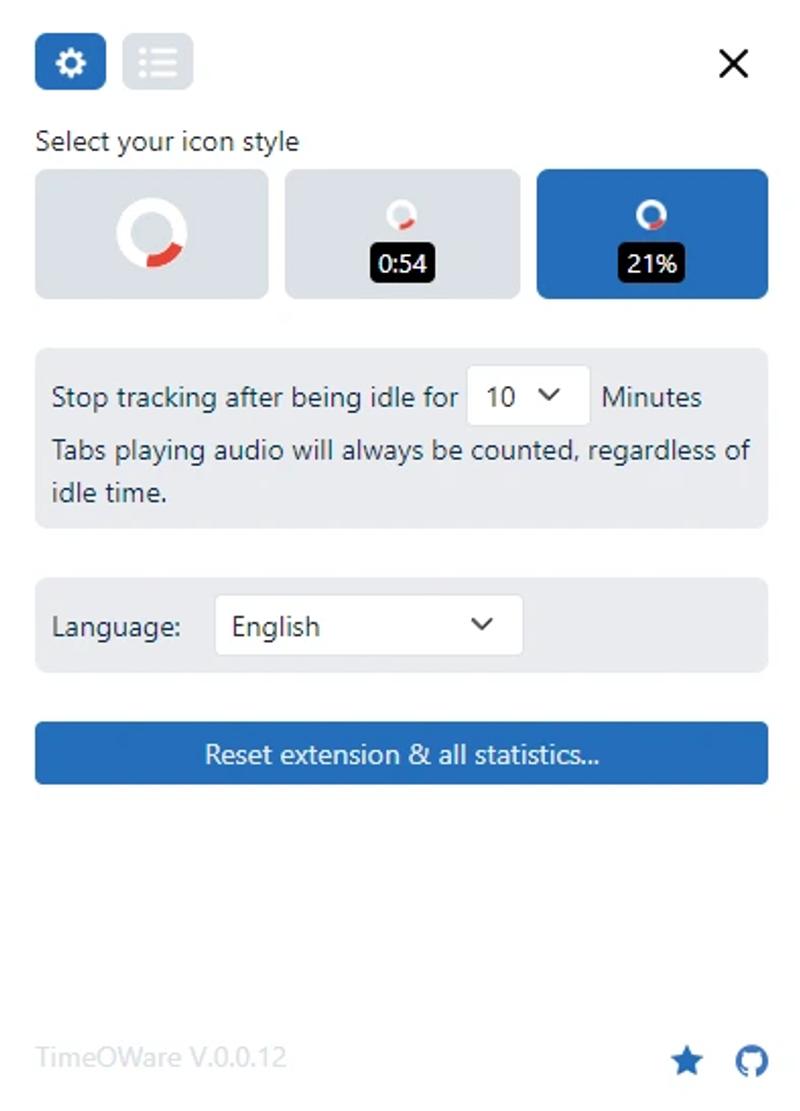 In our tests, we noticed that if several tabs are opened next to each other, they are also added up in the extension at the same time. The total number of hours is therefore higher than the actual number in the browser. This can be somewhat confusing for new users. 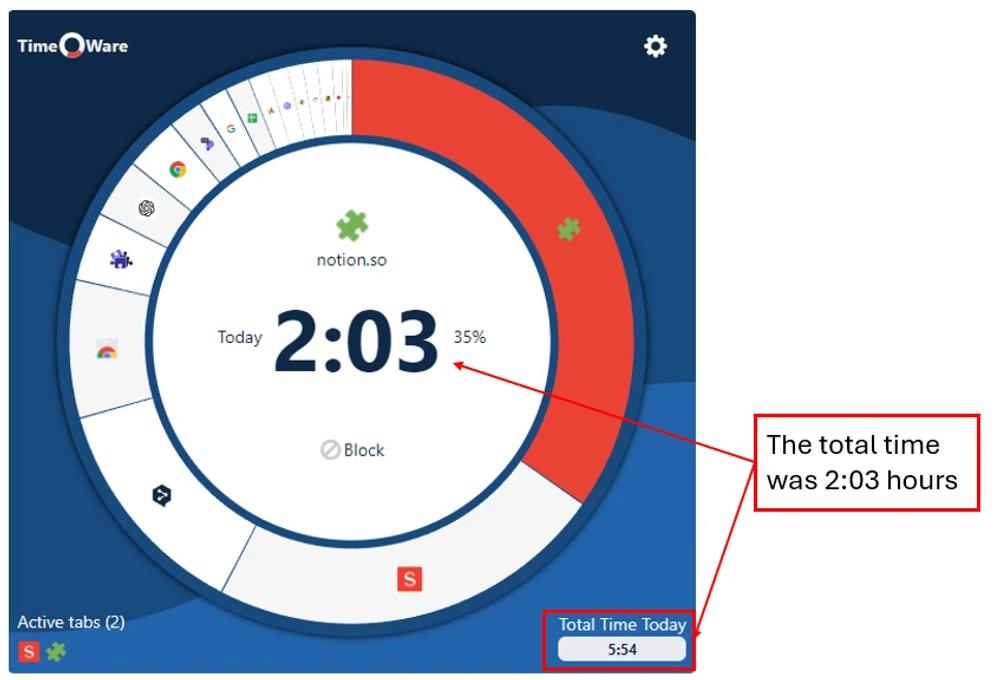 |
| Security & Privacy Tooltivity's expert score for the 'Security & Privacy' aspect of each extension. | 9.0 It keeps things modest, which often helps privacy by default. From our use, it appears to rely on browser sync with local storage offline and keeps permissions lean, avoiding unnecessary prompts. We’d still like clearer public documentation about data handling and retention. In practice, it benefits from the security of the browser’s sync, but more transparency would inspire extra confidence. | 10 TimeOWare is characterized by security and privacy, as it does not transmit any user data to the outside world and all information is only stored offline on the user's device. Winner in this category |
| Conclusion A summary of our findings and final thoughts for each extension. | If you want a simple, reliable checklist in your browser, To‑do List nails the basics. It’s fast, easy, and stays focused. The trade‑off is fewer power features. If you need advanced filters, templates, automation, or deep integrations, you may outgrow it. We’ll keep it for small personal lists and quick captures. For complex projects, we’d still choose a fuller task manager. As a focused browser to‑do, it’s a solid pick. | TimeOWare is a great choice for anyone who wants to manage their online time more effectively and realize how much time is spent on websites. Its simple design and privacy-focused approach make it, in our opinion, a standout option in the time management space. We felt in testing that a little more customization and even more features could further improve the extension. Overall, however, we think TimeOWare is already a valuable tool for anyone looking to improve their digital well-being. |
| Our Recommendation | In our comparison between To-do List and TimeOWare, To-do List came out on top, scoring 8.7. To-do List is the most widely used, with over 20k users and 126+ reviews—and it also delivered the strongest performance in our tests. User reviews for To-do List reflect our findings, while we rate TimeOWare lower than users do. Notably, TimeOWare has the highest user rating in the Chrome Web Store at 5.00, which is even higher than our rating of 8.5. In the end, the differences between these extensions are minimal, so your choice may come down to personal preference or specific features.
If you want a quick recommendation, To-do List is our top pick. But as always, the best choice depends on what matters most to you. | |

